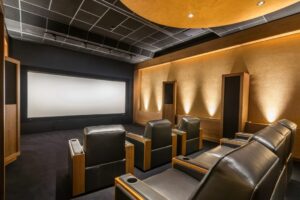

If you have ever settled in for movie night only to feel like something about your home theater setup just is not quite right, you are not alone. Many homeowners invest in great equipment but still end up with a viewing experience that feels flat or inconsistent. This guide will walk you through the most frequent home theater setup mistakes and how to avoid them. You will learn what affects sound quality, what determines ideal screen placement, how lighting changes the viewing experience, and why planning your wiring and networking matters more than most people realize. Whether you are building a dedicated media room or upgrading your living space, the goal is to help you create a system that performs the way you hoped it would from day one.
Top Home Theater Setup Mistakes to Avoid
If you feel like your system is underperforming, there is a good chance one of these home theater mistakes is to blame. As you read, mentally compare each point to your own room.
- Treating the room as an afterthought
Many people obsess over theater equipment and barely think about the room itself. Hard surfaces such as bare drywall, tile, big windows, and an empty floor create harsh reflections. That leads to echoey dialogue, shouty music, and bass that feels boomy instead of tight.
- Poor speaker placement and height
One of the most common home theater mistakes is placing speakers wherever they fit, not where they should actually go. Dolby and other audio companies provide detailed guidelines for how to set up home theater speakers around the main listening position.
- Mounting the screen too high or choosing the wrong size
Fireplace mounts and extra-large TVs are popular, but they often break basic ergonomics. If you have to tilt your head up to watch a movie, neck strain and fatigue will follow.
- Pushing the main seating against the back wall
It is convenient to tuck a sofa against the back wall, but it is not great for sound. Rear wall reflections and bass build-up can make the sound muddy in that one position. It also leaves no room for proper surround speaker placement slightly behind you.
- Ignoring bass and subwoofer placement
Subwoofers often end up where there is an open outlet, not where they actually perform best. In many rooms, low frequencies vary wildly from spot to spot. One seat may have powerful bass while another sounds thin.
Enthusiasts often use the “subwoofer crawl” to find the best location. Place the sub temporarily in your main seat, play bass-heavy content, and crawl around the room listening for where the bass sounds smooth and even. That location is often a strong candidate for the sub.
- Using the wrong HDMI or network capabilities for 4K
Modern 4K HDR, high frame rate gaming, and advanced audio formats require enough bandwidth not just from your internet provider, but also from your cables and devices.
For streaming 4K HDR, many providers recommend at least 25 Mbps per stream, and real-world guides often suggest a 100 Mbps internet plan or higher if multiple people in the home are streaming at once.
Once you understand these errors, the natural next question is how to set up home theater systems the right way from the start.
How to Set Up a Home Theater the Right Way
Avoiding mistakes is only half the story. Let us walk through a practical plan for a better home theater setup that balances technical best practices with real-world living spaces.
Step 1: Clarify the purpose of the room
Begin with a few simple questions:
- Is this a dedicated theater or a shared living room
- How many people do you want to seat comfortably
- Is gaming as important as movies
- Do you care more about big impact or subtle accuracy
Your answers shape everything from screen choice to speaker layout to lighting and furniture. A dedicated theater with blackout shades will be designed differently from a bright family room that needs to handle sports, kids, and daily life.
Step 2: Design the layout around the main seating position
Home theater design starts with your “main listening position” or primary row of seats. From there, you can work backward to screen size, mounting, and speaker locations.
Use established guidelines as a starting point:
- Aim for a viewing angle of roughly 30 to 40 degrees, which usually feels immersive without being overwhelming.
- Keep the center of the screen close to eye level when you are seated.
Online viewing distance calculators can help estimate an appropriate screen size based on how far back your seats will be.
Once you have the relationship between seats and screen dialed in, you can start mapping out where speakers should go around that position.
Step 3: Plan wiring, power, and network
Next, sketch a simple plan showing:
- Locations of all speakers, subwoofers, TV or projector, equipment rack, and seating
- Routes for in-wall or in-ceiling speaker wire
- HDMI and control signal paths between sources and the display
- Ethernet runs for streaming devices and smart TVs
If you are remodeling or building new, this is the perfect time to run extra conduit and network lines. It costs relatively little now and can save you from opening walls later when you upgrade to new formats or add more subs and speakers.
Step 4: Place and set up home theater speakers
Now you can get into the specifics of how to set up home theater speakers properly.
Guides from Dolby and trusted audio brands recommend:
- Front left and right speakers 22 to 30 degrees off center, at ear level, and to the sides of the screen
- Center channel in line with the screen, aimed directly at the listening position
- Surround speakers slightly above ear level, to the sides or slightly behind the seats, not in the far corners
If you are moving from a basic soundbar into a true surround system, this is where you will hear the biggest jump in immersion. Positioning matters as much as the speaker brand.
For inspiration on more advanced layouts such as 7.1 systems and how rear speakers transform the soundstage, you can learn more from AIS content on surround sound design, which digs deeper into speaker roles and placement in dedicated theaters.
Step 5: Address lighting and reflections
Even the best projector or OLED TV struggles in the wrong lighting. To keep contrast and color looking their best:
- Use dimmable lighting zones, so you can create “movie”, “game”, and “everyday” scenes
- Avoid placing can lights directly in front of the screen, where they cause reflections
- Consider blackout shades or at least light-filtering shades for windows
Smart lighting scenes can automatically bring lights down when you start a movie and bring them back up for intermissions.
If you ever feel stuck or overwhelmed, this is exactly where professional design and installation become worth it. A trained technician can often fix problems in a few hours that homeowners have fought with for months.
The Role of Smart Home Integration in Modern Home Theaters
Modern home theaters are rarely isolated rooms. They are part of a larger smart home ecosystem that includes smart lighting, shades, climate control, security, and whole-home audio. When all of these elements are integrated, your theater becomes easier to use and more immersive.
Instead of juggling multiple remotes and apps, a well-designed control system can let you:
- Start a movie with a single button
- Turn on the TV or projector, switch inputs, set the correct audio mode, lower lights, and close shades automatically
- Control volume, lighting, and even the fireplace from one interface
This is not just about convenience. It also means guests and family members can actually use the system without breaking anything.
Smart Lighting and Home Theaters
Lighting is a huge part of perceived image quality. Smart lighting systems allow you to:
- Create specific scenes for movies, sports, gaming, and everyday viewing
- Automatically dim or shift lights when content starts
- Coordinate landscape lighting or pathway lights to guide guests safely to and from the theater space
In Utah, where AIS frequently works with homes that have large windows and beautiful views, integrating motorized shades with theater controls is especially powerful. You keep your views most of the time, but with one tap, the room transforms into a dark, cinematic space optimized for picture quality.
Let AIS Set Up Your Home Theater Professionally
Creating an incredible home theater is about more than choosing the right equipment. It requires careful planning, smart placement, attention to acoustics, and a solid understanding of how all the elements in the room work together. If you want a system that is built to perform at its best, professional installation can make all the difference. At AIS, our local experts specialize in home theater design and installation across Utah, handling every detail from optimal screen placement and projector setup to acoustic design and lighting control. We do not just install equipment; we build fully immersive home theater systems in Utah homes that make every movie night unforgettable. Contact us today for a consultation!